
In the 2026 digital landscape, the “edit” is where the sale is won or lost. With attention spans hovering at record lows, your product video cannot afford a single wasted frame. At SixtySix Media Inc., we view editing as “Emotional Architecture”—it is the art of structuring pace, sound, and visuals to guide a viewer toward a buying decision. Post-production secrets for shoppable videos aren’t just about flashy transitions; they are about psychological triggers and frictionless information delivery.
Whether you are producing for TikTok Shop or aiming for high-ticket Brand Partnerships, your editing style must match the platform’s “language.” A video that works on YouTube Long-form will likely fail as a Reel. If you are still mastering the basics of capture, start with our guide on Best Budget Camera Gear. Once you have the footage, use these five editing pillars to maximize your Monetization Strategy.
1. The “0.5-Second” Hook and Visual Pacing
By 2026, the traditional 3-second hook has evolved. On vertical platforms, you now have roughly 0.5 seconds to signal to the brain that your video is worth staying for. This means your first frame must be high-contrast, high-motion, or immediately solve a problem.
Pro Tip: Use the “Jump Cut” aggressively in the first 10 seconds. Remove all “ums,” “ahs,” and even the natural breaths between sentences. This creates a relentless forward momentum that keeps the viewer’s dopamine levels high, preventing them from scrolling away before you reach the product benefits.
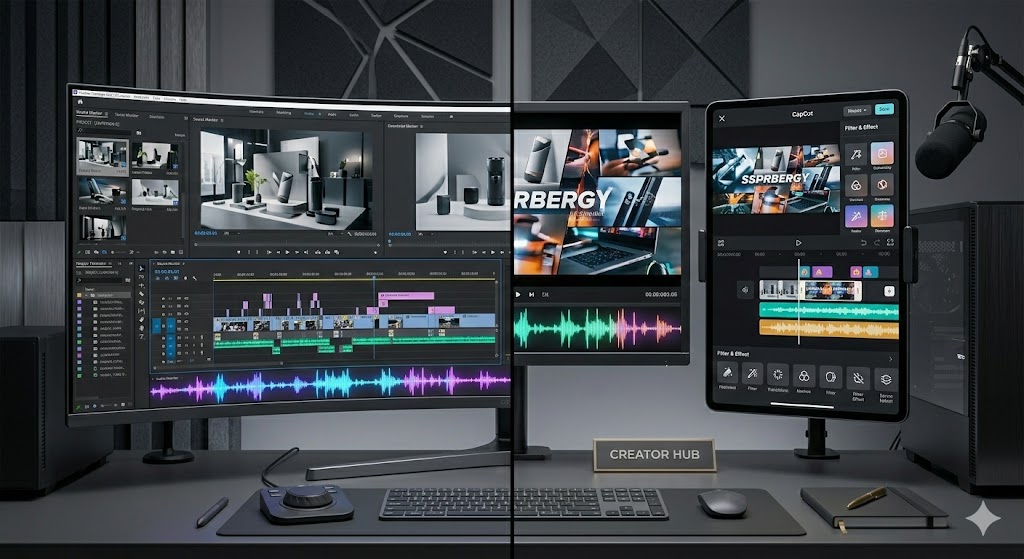
2. Choose Your Weapon: CapCut vs. Premiere Pro
The “Secret” in 2026 is that veteran creators no longer choose just one software—they use a hybrid workflow. At SixtySix Media Inc., we recommend different tools for different goals:
- Adobe Premiere Pro: Use this for the “Heavy Lifting.” It is the best for Industry Insights content, long-form YouTube deep dives, and color-correcting 10-bit footage to ensure product colors are 100% accurate.
- CapCut (Desktop/Mobile): Use this for the “Social Sauce.” CapCut’s AI-powered auto-captions, trending transitions, and “Beautify” filters are optimized for the TikTok and Reels algorithms.
The 66.Media Workflow: Edit your “A-Roll” and color grade in Premiere, then export and bring it into CapCut for those viral-style animated captions and trending sound overlays.
3. The Psychology of “Pattern Interrupts”
The human brain tunes out repetitive stimuli. If your video is just one continuous shot of you talking, the viewer will go “blind” to your message. You must introduce a Pattern Interrupt every 4–6 seconds. This can include:
- B-Roll Overlays: Switch from your face to a close-up (macro) of the product’s texture.
- Digital Zooms: A subtle 10% zoom-in on a key sentence to emphasize importance.
- Text Pop-ups: Highlight key specs (e.g., “40-Hour Battery Life”) with a “pop” sound effect to reinforce the auditory message visually.
4. Sound Design: The Subconscious Salesman
Poor audio quality is the #1 reason viewers drop off. In 2026, “Clean” is the baseline, but “Designed” is the differentiator. High-conversion professional product reviews use subtle foley sounds to make the product feel more “real.”
If you are reviewing a tech gadget, record the “click” of the buttons or the “snap” of the magnetic charger and boost those levels in post-production. These tactile sounds trigger a sensory response in the viewer, making them feel like they are already holding the product. Use background music with a steady “driving” beat to maintain energy, but ensure it ducks (lowers volume) automatically when you speak.
5. The “Burned-In” Caption Requirement
In 2026, over 70% of shoppable videos are watched on mute in public spaces. If your video doesn’t have burned-in captions (captions that are part of the video file, not just toggled on), you are losing the majority of your potential sales.
Don’t just use standard white text. Use high-contrast, animated captions that highlight keywords in brand-specific colors (like #666666 or a vibrant yellow). This ensures that even without sound, your “Feature-to-Benefit” translation is clearly understood.
The “Conversion Edit” Checklist:
- Does the hook land in under 1 second?
- Are there pattern interrupts every 5 seconds?
- Is the color accurate to the physical product?
- Are the captions legible on a small mobile screen?
- Is the CTA (Call to Action) visually distinct at the end?
Final Thoughts
Editing is not just a technical task; it is the final layer of your brand’s voice. A polished, intentional edit signals to your audience—and to potential Brand Partnerships—that you are a professional who respects their time. By mastering these post-production secrets, you transform your footage from a simple review into a high-conversion sales engine.
Ready to see your edited content reach the right eyes? Check out our Brand Partnerships page to see how we connect top-tier editors with global brands. For more on the future of the industry, explore our Articles category feed or learn more About Us.
Want to scale your production? SixtySix Media Inc. helps creators transition from solo-editors to full-scale media houses. Contact Us today to see how we can support your Brand Growth.